I suppose it is no secret that I've been trying out all these different kinds of templates on my other blog projects.
The usual templates provided by Blogger is alright- but as I may have mentioned before, it seems that I have a preference for 3-column templates.
Now, there area a lot of sites out there- both free and paid- which features quite a number of the 3-column templates that I like, and a lot other templates. The problem is that when you start loading the .XML template file, or pasting the template file onto the existing one, more often than not, Blogger displays a variety of error messages, end result being- you find yourself unable to load that smashing new 3-column template you found.
And it does get rather frustrating after the first several tries, really. At least until Blogger fixes this nuisance altogether.
Of course, you have the option of learning how to make a template yourself. I probably could, but I'd really rather spend more time churning out blog entries than making templates on my own- but maybe much later on, who knows?
Thank goodness persistence pays off: I stumbled onto Blogcrowds. On top of the new templates they've been offering, they also have lots of useful tips, widgets and other goodies for bloggers- all bloggers, for that matter- whether begginer, intermediate or even advanced.
Nothing too fancy, really. In fact a lot of them are just the usual Blogger templates, only expanded from 2-columns to 3-column deals. As far as I'm concerned, they loaded easily enough (just take away all your previous widgets before previewing or making final changes- you can slap them back on later anyway), and they look great! And I'm already sporting them on my other blog projects.
So go check it out. I'm sure there's something in there you'd like. If it's working templates you're looking for, you can get them here.
Cheers!
Wednesday, January 23, 2008
Resources for Blogs: BlogCrowds
Saturday, January 19, 2008
Blog Tools: AddThis.com
In my quest to find out how they put little "Bookmark This!" buttons at the bottom of every post on your blog, I have managed to stumble upon (no pun intended) a rather useful service on AddThis.com.
As a blogger, you'll want the buttons from AddThis.com because of several reasons, all pretty much pointed out on their homepage.
1. It allows for easy bookmarking. Once a reader likes one of your posts, you have a button right there that allows bookmarking on several services- Technorati, Digg, Facebook, MSN Live, Furl, Ask, Del.icio.us, Google, Reddit, Stumbleupon, Yahoo MyWeb, Twitter, and so much more.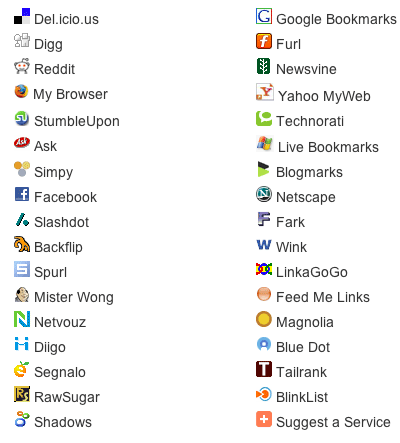
2. It helps promote your site. Sending content to social bookmarking services like those mentioned above helps bring traffic to your site. So, yes, you'd want to do this.
3. It increases your rankings. More traffic means a greater likelihood of people linking to your site, and therefore, higher ranking on search engine results pages.
4. It reduces overall clutter. No need for separate codes and buttons for each bookmarking service. One less thing to worry about, so just keep on churning out good content!
5. It's easy to install. No shit. If I have been able to figure it out, so can you. Assuming you already have an account on AddThis.com, just click on the large 'Get Your Button' button on the home page. Pick the kind of widget you'd want- whether one for bookmarking or one for subscribing to your feeds- and how it looks like.
You go to a page which enables you to put an AddThis button on your blog, and gives you a code to put on your template's html coding so that all your posts have an AddThis button at the footer of every post.
6. It comes with free statistics. Because sometimes, you'd like to know more on how readers are bookmarking and sharing your content.
7. It's very reliable. Heck, a lot of sites and blogs already use this service, including Time.com, TechCrunch, ABC, Lonely Planet, Freewebs, Tower Records, just to name a few
8. It's free! Can't argue with that, can you?
So if you're building a blog, go right ahead and sign up for an account on AddThis.com. Get the buttons for your blog, and keep on posting!
Cheers, everyone!
Friday, January 18, 2008
Social Bookmarking For Blogs: del.icio.us
I was playing around with my del.icio.us account the whole day today, mainly trying to figure out how to slap a del.icio.us script at the footer of each post, versus just having one at the side of my blog.
So in essence, del.icio.us allows you to create your very own list of links, categorize it, and share it with others. You can access this list anytime you're online, so you can practically bring your list of links and bookmarks to any PC or laptop you're working on.
As a blogger, you want this service. For several reasons:
1. On the front page, you can see what are the hottest topics/pages/blogs at any given time. You'll want a quick way of finding the newest, or the most popular resources online, especially on subjects related to your blog.
2. It's a great way to market you and/or your brand, or in this case, your blog. You would want to use del.icio.us to promote your blog and your individual blog entries with other people.
3. It's really meant for networking. You'd want to hook up with people who also look for the same things you do, and share bookmarks with them, as they share theirs with you.
4. It's a great way to archive your blog. Del.icio.us allows you to keep track of what you've already written or what you still want to write about.
Check this out: Roland Piquepaille has a great read on how he uses del.icio.us. Sign up for del.icio.us by visiting their website. For more information on del.icio.us, read more about it on Wikipedia here.
I hope this has been useful. Cheers, everyone!
Monday, January 14, 2008
Social Networking For Blogs: Twitter
I've just successfully put up Twitter on a few of my blogs.
You can go sign up quickly for a Twitter account here on their website. Once there, you'll want to start looking for friends who are also on Twitter. Eventually, you'll be able to 'follow' each other through little updates you leave online.
You can get the html codes for your Twitter account so you can embed it in your blog, MySpace or website. I was able to set up my Twitter on one of my Blogger blogs here, and also on my Multiply. It shouldn't be any problem setting it up on, say, a Wordpress blog- in fact, I'll get down to it once I'm done here.
Another interesting feature is that you can actually send Twitter updates via SMS- through your mobile phone. Which means you can easily tell people what you're having for lunch right at moment, or what you think of the latest Will Smith movie, or mention how you've spotted some local celebrity at a local mall or restaurant or something.
Give Twitter a try- I understand that it's probably not for everybody. It's just one of the many options available to you for keeping in touch with your online network- but not like you already need any more social media applications, right?
In any case, if you do feel like Twittering, do look me up- look for 'Renzie' and drop me a message. Cheers!
Read more about Twitter here on Wikipedia, or check out their website here.
Thursday, December 6, 2007
Blogger Essentials: The Asus EEE PC
 Since my first post about my acquisition of one of these sexy Asus Eee PCs, there have been a number of posts and comments- more like questions, really- asking me what I think about it. So here's my effort to give it a personal review, hoping that this will be of help in your decision-making process- whether to get one of these babies for you, or not.
Read the rest of my personal review of the Asus EEE PC here on my other blog, "Renzie's Realm of Awesome".
Cheers, everyone!

