In my quest to find out how they put little "Bookmark This!" buttons at the bottom of every post on your blog, I have managed to stumble upon (no pun intended) a rather useful service on AddThis.com.
As a blogger, you'll want the buttons from AddThis.com because of several reasons, all pretty much pointed out on their homepage.
1. It allows for easy bookmarking. Once a reader likes one of your posts, you have a button right there that allows bookmarking on several services- Technorati, Digg, Facebook, MSN Live, Furl, Ask, Del.icio.us, Google, Reddit, Stumbleupon, Yahoo MyWeb, Twitter, and so much more.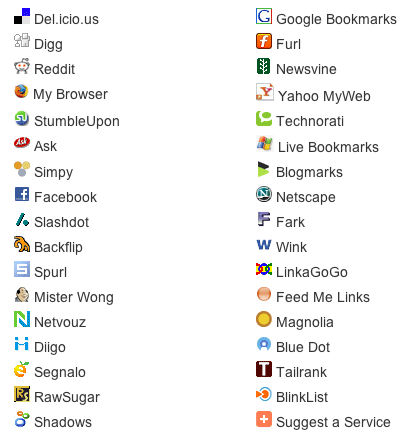
2. It helps promote your site. Sending content to social bookmarking services like those mentioned above helps bring traffic to your site. So, yes, you'd want to do this.
3. It increases your rankings. More traffic means a greater likelihood of people linking to your site, and therefore, higher ranking on search engine results pages.
4. It reduces overall clutter. No need for separate codes and buttons for each bookmarking service. One less thing to worry about, so just keep on churning out good content!
5. It's easy to install. No shit. If I have been able to figure it out, so can you. Assuming you already have an account on AddThis.com, just click on the large 'Get Your Button' button on the home page. Pick the kind of widget you'd want- whether one for bookmarking or one for subscribing to your feeds- and how it looks like.
You go to a page which enables you to put an AddThis button on your blog, and gives you a code to put on your template's html coding so that all your posts have an AddThis button at the footer of every post.
6. It comes with free statistics. Because sometimes, you'd like to know more on how readers are bookmarking and sharing your content.
7. It's very reliable. Heck, a lot of sites and blogs already use this service, including Time.com, TechCrunch, ABC, Lonely Planet, Freewebs, Tower Records, just to name a few
8. It's free! Can't argue with that, can you?
So if you're building a blog, go right ahead and sign up for an account on AddThis.com. Get the buttons for your blog, and keep on posting!
Cheers, everyone!
Saturday, January 19, 2008
Blog Tools: AddThis.com
Friday, January 18, 2008
Social Bookmarking For Blogs: del.icio.us
I was playing around with my del.icio.us account the whole day today, mainly trying to figure out how to slap a del.icio.us script at the footer of each post, versus just having one at the side of my blog.
So in essence, del.icio.us allows you to create your very own list of links, categorize it, and share it with others. You can access this list anytime you're online, so you can practically bring your list of links and bookmarks to any PC or laptop you're working on.
As a blogger, you want this service. For several reasons:
1. On the front page, you can see what are the hottest topics/pages/blogs at any given time. You'll want a quick way of finding the newest, or the most popular resources online, especially on subjects related to your blog.
2. It's a great way to market you and/or your brand, or in this case, your blog. You would want to use del.icio.us to promote your blog and your individual blog entries with other people.
3. It's really meant for networking. You'd want to hook up with people who also look for the same things you do, and share bookmarks with them, as they share theirs with you.
4. It's a great way to archive your blog. Del.icio.us allows you to keep track of what you've already written or what you still want to write about.
Check this out: Roland Piquepaille has a great read on how he uses del.icio.us. Sign up for del.icio.us by visiting their website. For more information on del.icio.us, read more about it on Wikipedia here.
I hope this has been useful. Cheers, everyone!
Sunday, January 13, 2008
Social Bookmarking For Blogs: Technorati
Seems like a real fun site. Technorati is an online service that allows you to keep track of other blogs from all over the world.
Signing up to Technorati involves letting them know which blogs are yours- so you not only create a short profile (so other people can know a little bit about you), but you also create a list of all the blogs you author, and what your blogs are all about.
You want this, because it effectively registers your blog into Technorati's massive blog directory, and as more people turn to Technorati to find blogs and websites on topics that interest them, it therefore gives you a chance to get much-needed exposure for your and your blog/s.
It seems that your blogs are measured by "authority", which are denoted by a certain amount of points. Currently, this blog's authority points are at 5, which isn't much, considering the most popular blogs on Technorati have authority points in the tens of thousands! *gasp*
Which therefore begs the question: How do you gain more authority points on Technorati?
A quick Google search led me to a forum on The V7 Network- and a number of contributing members have thrown in their two cents' with regards to increasing your standing on Technorati.
According to a post by info4beingrich...
Technorati authority increases with incoming links. So you should:Another contributing member, interwebhunt, also suggests...
1. Make comments on various blogs, so that your links in the comments are treated as backlinks (but be careful, don't spam comments)
2. Swap links or buy links from other websites..
3. Trackback your url on other sites..
4. Request people to post review about your blog on their sites with links to your blogs. This can be done via paid reviews or free reviews..
5. Request people to techno fave your blog or writings..
start surfing high authority blogs in your niche, and take time to cultivate a relationship with that blogs owner. If you find a connection with that blog owner, look to link exchange. Just randomly emailing people for a link exchange can be viewed very negatively.Bottom line: If you want to build your blogs well, focus on two main things...
1. Developing quality content. Keep churning out content that readers can keep coming back to, and share with other people. This pretty much is in line with creating a good experience for your readers, fans and fellow bloggers.
2. Developing relationships. Be a good blog-neighbor- leave comments, encourage interaction, and share with others. Link exchange with fellow bloggers-turned-friends, rather than just spamming people indiscriminately.
Well, I've only gotten into Technorati for a few hours, and as I discover about its services and the blogs featured in it, the more I have to share with everyone.
So I'll check you guys in a bit. Cheers, everyone!

